


Real-time, multi-namespace log analysis – without kubectl pipelines or tools like stern.
Kubernetes gives teams incredible flexibility, but getting clean, real-time logs across many pods, namespaces, and services has always been awkward. Engineers fall back to kubectl logs -f, loops, and stern-style wrappers – good for tailing, but not for understanding what’s happening.
With this release, Gonzo adds native Kubernetes ingestion, giving you a unified, real-time view of your cluster with all of Gonzo’s intelligent analysis layered on top.
Why Native Kubernetes Support Matters
1. No kubectl pipes, no stern, no hacks
Gonzo connects directly to your cluster using your kubeconfig.
No piping, no shell loops, no extra utilities needed.

It’s as simple as:
gonzo --k8s-enabled=true2. See logs across all pods, namespaces, or services at once
You can stream everything:
production/nginx-abc
staging/api-worker
production/checkout-processorAnd Gonzo automatically shows logs by namespace and pod, as well as key meta data / attributes, giving you a structured, readable view even when dozens of workloads are involved.
3. Target entire namespaces or services using label selectors
Target one or more specific namespaces like:
gonzo --k8s-enabled=true --k8s-namespace=productionIf a service uses the label app=myapp, you can stream every pod of that service with:
gonzo --k8s-enabled=true --k8s-selector="app=myapp"No more guessing pod names.
No more repeating flags.
If Kubernetes can match it, Gonzo can analyze it.
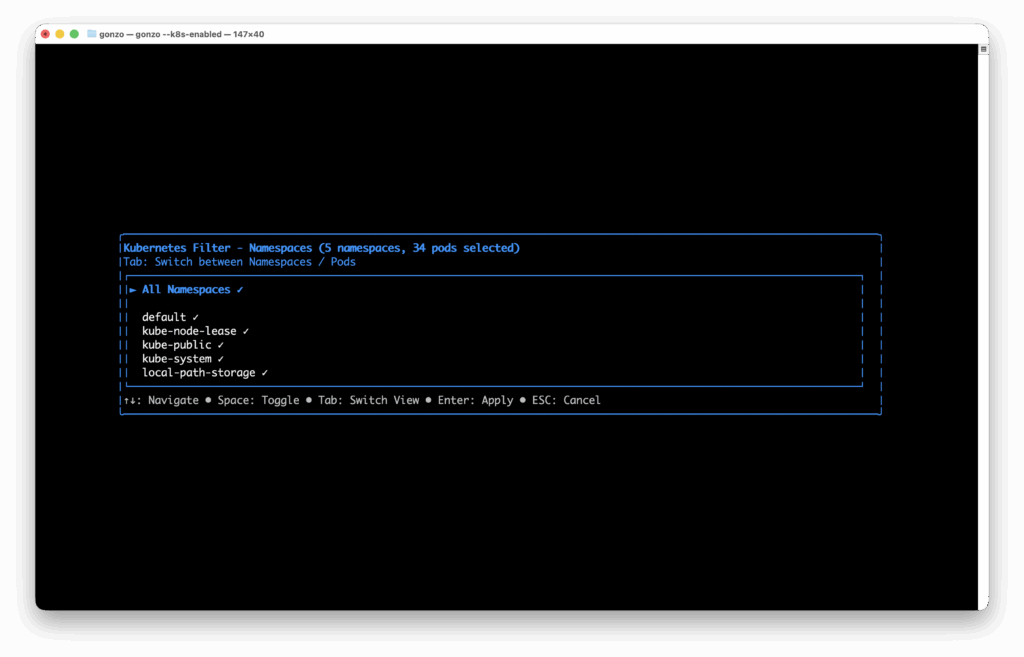
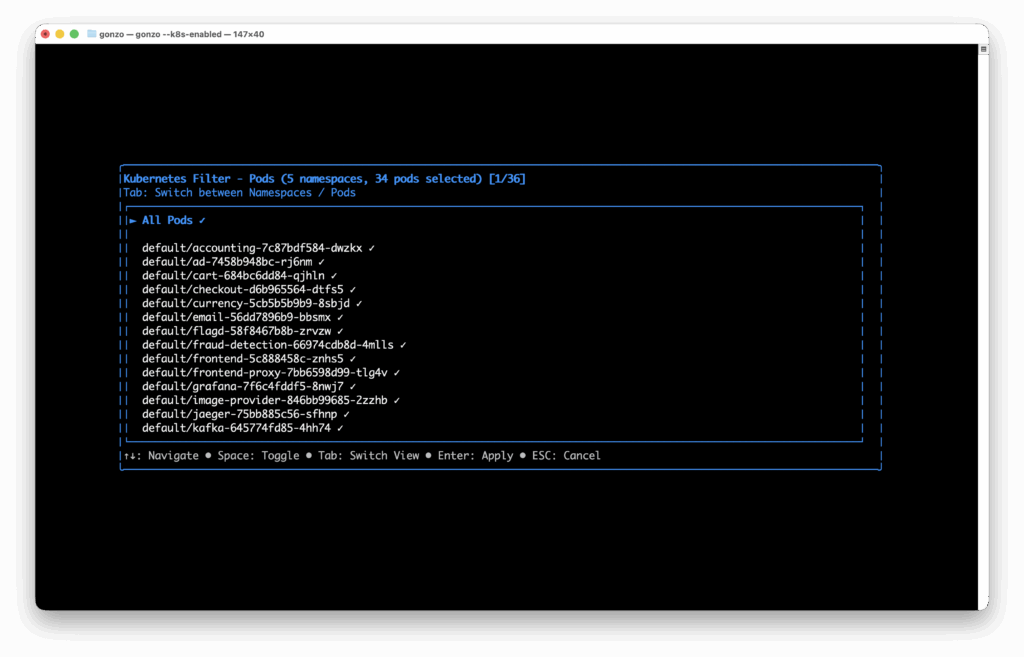
4. Dynamic, interactive filtering – no restart needed
Hit Ctrl+k to instantly choose which namespaces or pods you want to watch.
It updates live, right in the TUI.
Switch workloads, narrow scope, or expand it – all without stopping the stream.
5. Gonzo brings analysis, not just tailing
This is where Gonzo stands apart:
- Severity and service heatmaps
- Surfacing key patterns
- Filtering by namespace/pod for clarity
- Optional AI log insights on demand
- Beautiful, ergonomic TUI built for finding signal
Stern tails logs.
Gonzo helps you understand them.
Quick Start: Real-Time Kubernetes Log Streaming
Stream all pods across all namespaces
gonzo --k8s-enabled=trueWatch specific namespaces
gonzo --k8s-enabled=true --k8s-namespace=productionTarget a service by label
gonzo --k8s-enabled=true --k8s-selector="app=checkout"Combine namespace + pod/service filters
gonzo --k8s-enabled=true \
  --k8s-namespace=production \
--k8s-selector="tier=backend"Interactive filtering anytime
- Ctrl+k → choose namespaces/pods
- Ctrl+f → focus on specific severity levels
- Updates instantly without restarting Gonzo
Optional: Configure K8s Mode Permanently
In ~/.config/gonzo/config.yml:
k8s:
  enabled: true
  namespaces: ["production", "staging"]
selector: "app=myapp"Try It for Your Cluster
Update Gonzo and start streaming:
brew upgrade gonzo
gonzo --k8s-enabled=trueNative Kubernetes log ingestion is available now – bringing real-time, intelligent log analysis to where K8s teams actually work.
Table of Contents
Runtime Feedback Loop for AI-Speed Engineering
Dstl8 distills runtime signal at the source, routes the answer back to the agent or engineer who shipped the code.
 Back
Backpress@controltheory.com