


RUNTIME FEEDBACK LOOP FOR AI-SPEED ENGINEERING
Continuous runtime feedback.
Agent code, human code, all your infrastructure.
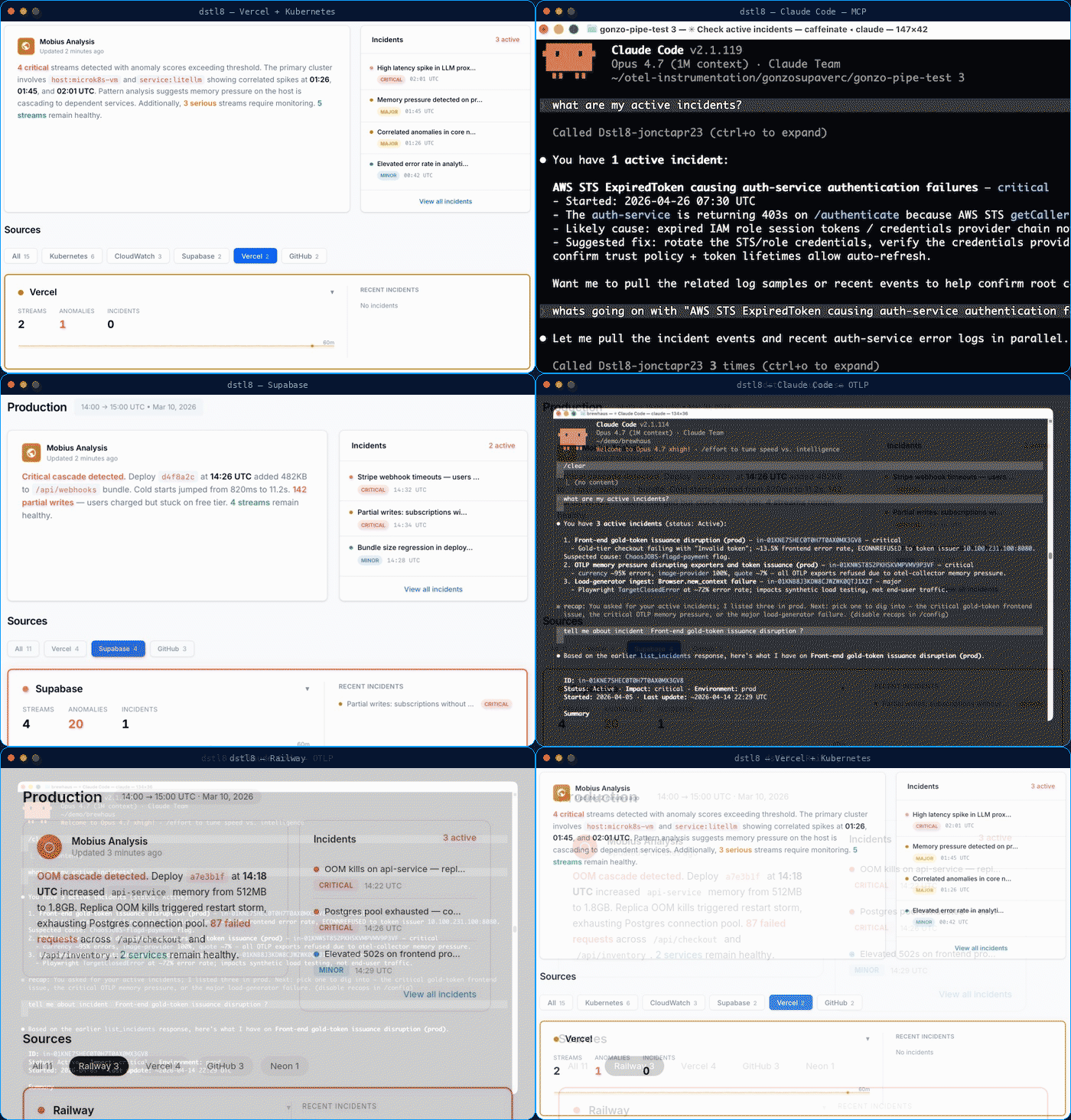
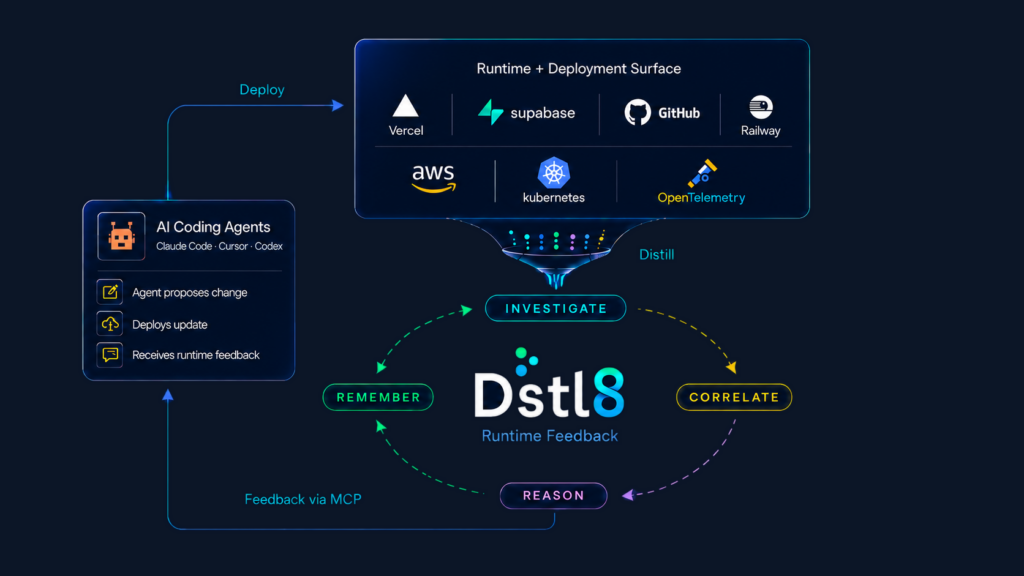
Dstl8 distills, correlates, reasons, and remembers across your entire runtime: Kubernetes, AWS, OpenTelemetry, Supabase, Vercel, and more. Verified context streams back into Claude Code, Cursor, and Codex. What your team learns, the platform keeps.
Works with your stack







Runtime platforms and AI coding tools — connected in minutes. See all integrations →
DISTILL
Ship More Faster. Skip the Runtime Rabbit Holes.
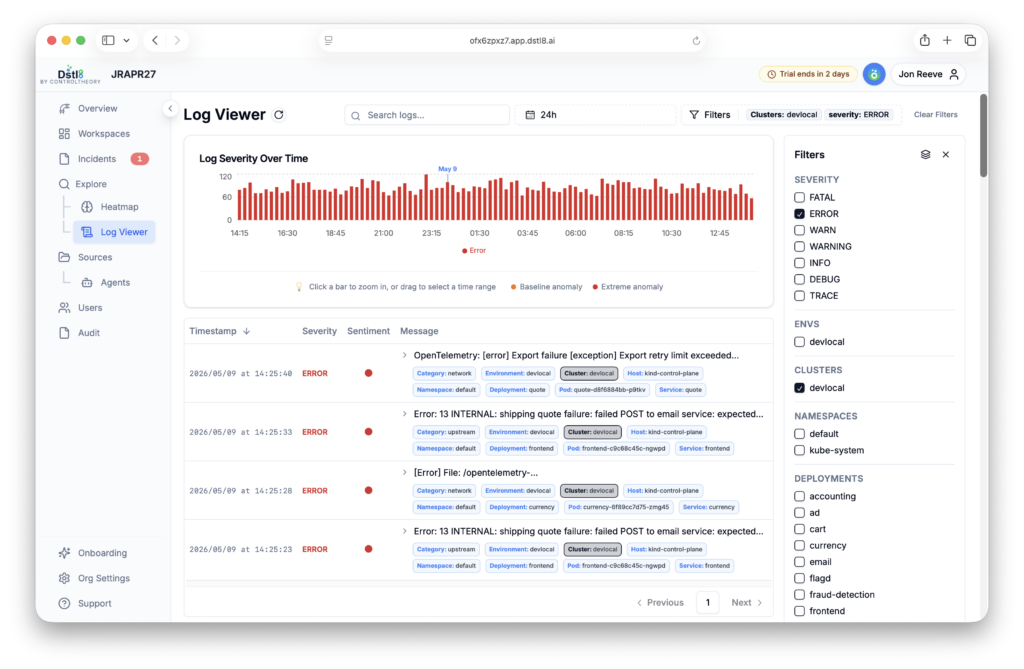
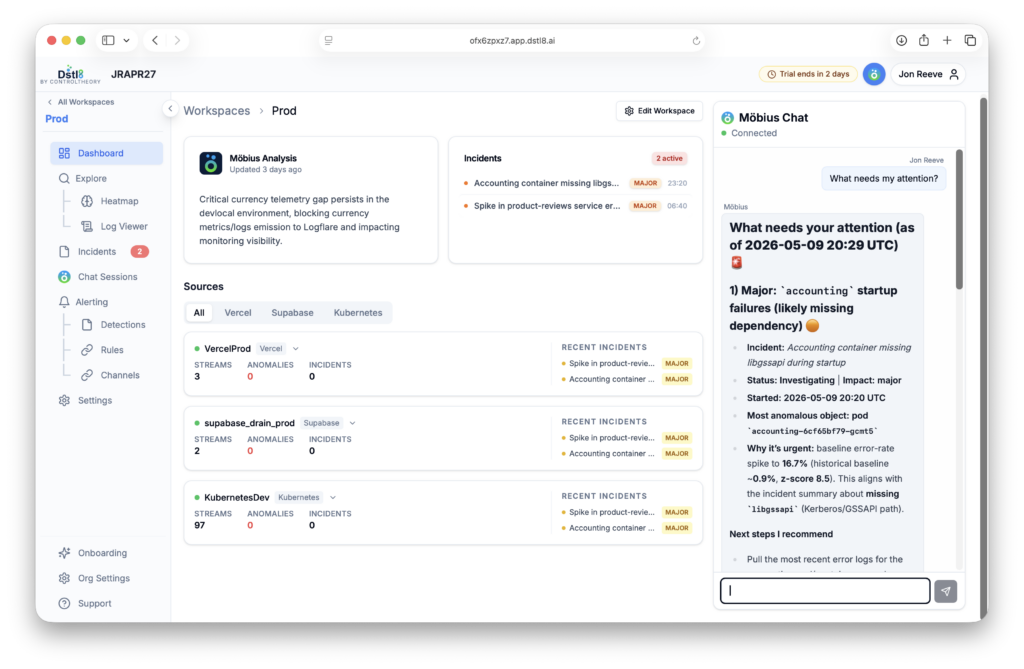
Telemetry Distillation surfaces sentiment, patterns, anomalies, and incidents the moment they emerge. Möbius, the Dstl8 AI agent, explains the cause with evidence — and the next session reads the whole graph for free. Learn more…
CORRELATE
Fix Issues Across Your Deployment Chain.
Dstl8 correlates signals across Kubernetes, OpenTelemetry, AWS, Supabase, Vercel – to find root cause, not just symptoms. Same MCP tools across dev, staging, and prod. Get more details…
REASON
Equip Agents, Developers with Context.
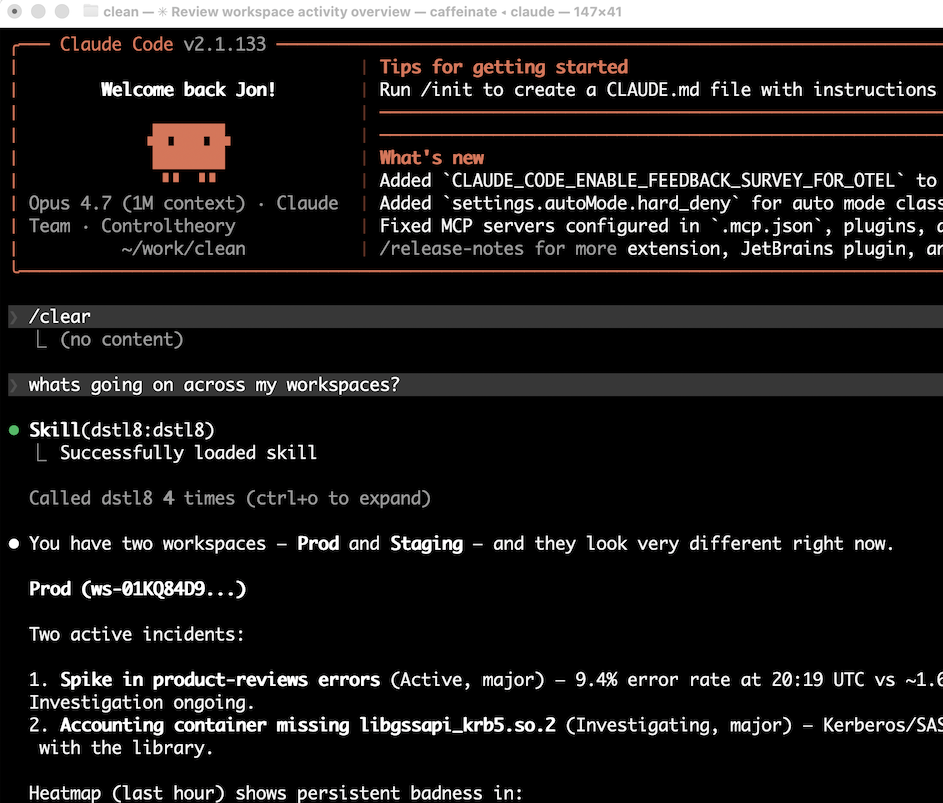
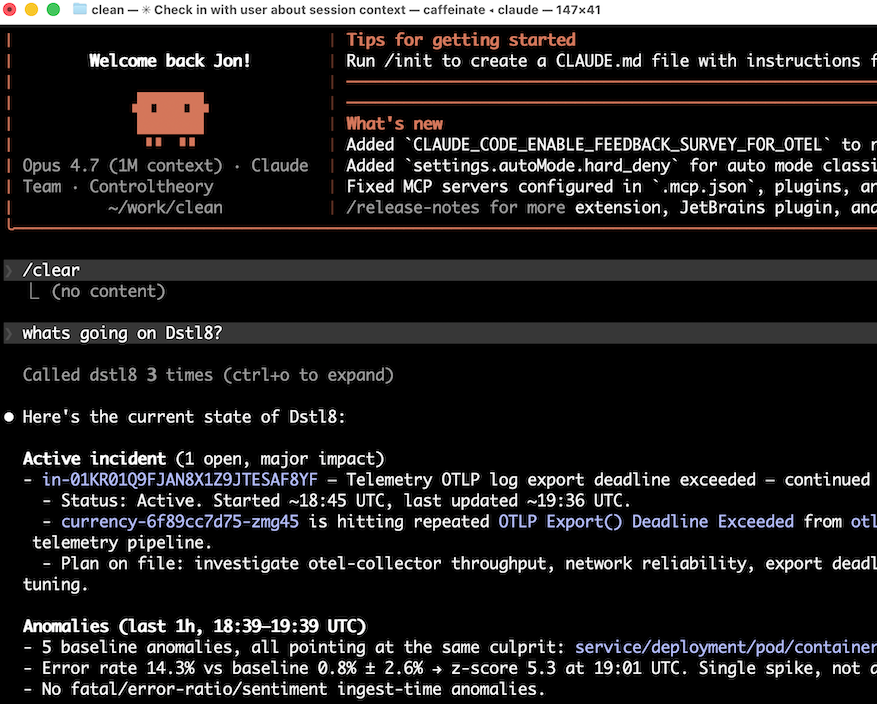
Runtime context streams directly into Claude Code, Cursor, and Codex. A SKILL.md ships alongside the MCP server, teaching your agent how to use the tools well – flow state, preserved. More info…
REMEMBER
Make Agentic Engineering Better Over Time.
A knowledge graph that compounds across entities, relations, and observations. Before you touch a service, the agent surfaces every past incident and prior fix. Learn more…
// See how Dstl8 closes the loop.
THE LOOP
Product ships out. Runtime feedback comes back.
AI-speed engineering is shipping more product faster through your deployment chain. Dstl8 distills runtime signal and feeds it back into the next prompt.
14 days free · No credit card · Full platform access
what is Continuous Runtime Feedback?
Continuous Runtime Feedback / noun phrase
A system that distills runtime signals from your deployment chain, reasons over them with AI agents, and feeds the result back into how you build and ship — automatically and continuously.
CONTINUOUS
Always-on, not sampled. Runs in the background as code ships.
RUNTIME
Watches actual production behavior, not just the code itself.
FEEDBACK
Closes the loop back into the editor and dev flow, automatically.
Why now: AI-development ships more product faster. Reactive tools – error tracking, dashboards — wait for known problems to throw. Continuous runtime feedback surfaces problem autonomously with writing a single monitor and pipes the answer to where you’re already working.
LIVES IN YOUR DEV FLOW
MCP for editors. CLI for agents.
Two ways in: the Dstl8 MCP Server for AI editors, and the Dstl8 CLI for agents and automation.
MCP SERVER · AI EDITORS
Runtime context inside the editor
Möbius AI diagnoses, guides, and remembers with evidence and fix recommendations — surfaced in-context, no tab-switching.
DSTL8 CLI · AGENTS & AUTOMATION
Runtime context for agents and automation
Terminal access plus packaged skills agents invoke directly — so any AI tool, including agentic ones, can use Dstl8 the way you do.
Start Here
Install & Configure Dstl8 in Under 2 Minutes.
Try the Dstl8 CLI and TUI for continuous runtime feedback. Install it, add sources, connect the MCP server into Claude Code, and more.
brew install control-theory/dstl8/dstl8
dstl8 signup
curl -fsSL https://install.dstl8.ai/script/dstl8-cli | shnpx dstl8nix run github:control-theory/dstl8Download from https://github.com/control-theory/dstl8/releasesQuick Start
# 1. Install the CLI
brew install control-theory/dstl8/dstl8

# 2. Create a Dstl8 account (or `dstl8 login` if you already have one)
dstl8 signup

# 3. Add a source so logs flow in
dstl8 sources add vercel

# 4. Connect your AI agent, auto-detects MCP-compatible clients on your machine and configures them
dstl8 install --all
dstl8 install claude-code
Add Sources
# Add Sources

dstl8 sources add kubernetes
dstl8 sources add cloudwatch
dstl8 sources add vercel
dstl8 sources add supabase
dstl8 sources add otlp
dstl8 sources add github